

· 4 min read
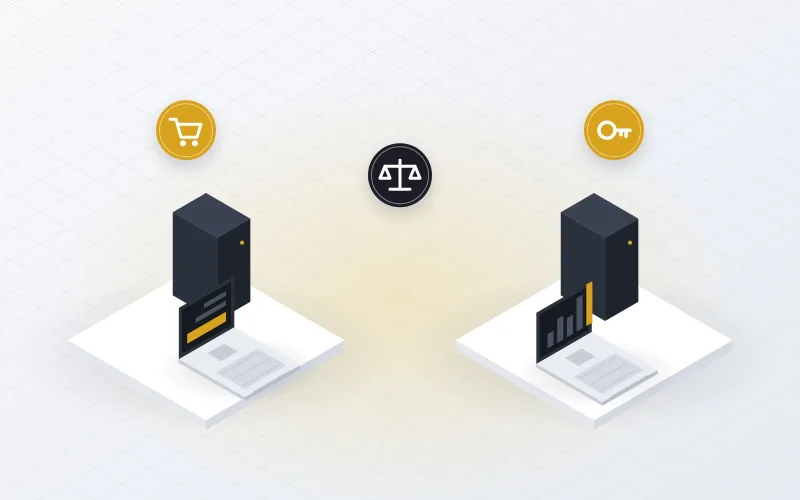
Every company that grows eventually faces the same question: should we buy the servers, laptops and network equipment we need, or rent them? IT equipment rental has become a practical option for businesses of every size, but buying is still the right answer in many cases. The best choice depends on how long you need the equipment, how you prefer to spend and who will maintain it.
What IT equipment rental includes
With a rental agreement, a provider supplies the equipment for a fixed period in return for a monthly or project-based fee. A good rental package usually includes:
- Delivery, installation and basic configuration.
- Maintenance and replacement of faulty units during the rental period.
- The option to add, upgrade or return equipment as needs change.
- Collection at the end of the period, with secure data wiping.
The provider keeps ownership of the equipment and carries the risk of failures and ageing.
Renting vs buying at a glance
| Factor | Renting | Buying |
|---|---|---|
| Upfront cost | Low, spread into monthly payments | High, paid at the start |
| Budget type | Operating expense, easy to forecast | Capital expense, depreciated over years |
| Maintenance | Usually handled by the provider | Your responsibility after the warranty |
| Flexibility | Scale up, down or upgrade quickly | Fixed until you buy or sell again |
| Long-term cost | Higher if kept for many years | Lower for equipment used a long time |
| Ownership | Provider owns the equipment | You own the asset |
When renting IT equipment makes sense
Projects with an end date
Training rooms, exams, events, audits, temporary offices and system migrations all need equipment for weeks or months, not years. Renting avoids buying devices that will sit unused afterwards.
Fast growth or uncertain demand
If you are hiring quickly or testing a new branch, rental lets you add capacity now and adjust later without a large commitment.
Protecting cash flow
Rental turns a large purchase into a predictable monthly cost. That keeps cash available for the core business and makes budgeting simpler.
No in-house maintenance team
When maintenance is part of the rental, faulty units are repaired or swapped by the provider. Your staff can focus on users and projects instead of hardware repairs.
Bridging a gap
Rental is useful while you wait for a purchase to arrive, during a data center relocation, or as temporary capacity after a hardware failure.
Tip: Compare the total cost over the real period you need the equipment, including maintenance, spare parts, staff time and disposal. A rental price that looks high per month can be cheaper than buying once everything is counted for a short project.
When buying is the better choice
- You will use the equipment for many years, and it is unlikely to change.
- Your workloads are stable and well understood.
- You have the budget and prefer to own assets on the balance sheet.
- You already have a maintenance plan, either in-house or with a provider.
Buying does not mean you have to maintain everything yourself. Once the manufacturer warranty ends, IT equipment maintenance or third-party maintenance keeps owned hardware supported at a predictable cost.

A simple decision checklist
Answer these questions for each group of equipment:
- How long will we really need this equipment: weeks, months or years?
- Do we expect the quantity or specification to change during that time?
- Would we rather pay once or spread the cost monthly?
- Who will maintain the equipment, and what does a failure cost us?
- What will we do with the equipment when we no longer need it?
Short periods, changing needs and limited maintenance capacity point towards rental. Long periods, stable needs and an existing support plan point towards buying. Many companies use both: they buy core infrastructure and rent for projects and peaks.
What to check in a rental agreement
- Exact specifications, brands and models, and whether equivalent models may be substituted.
- Delivery time, installation scope and who configures the devices.
- Response time for faults and how quickly a replacement unit arrives.
- Minimum rental period, extension terms and early return conditions.
- How your data is wiped when the equipment is returned.
IT equipment rental in Egypt with ECS
ECS offers equipment rental for servers, storage, network devices, PCs and printers, supported by our own engineers from Cairo and Alexandria. Maintenance is included, so a faulty unit is repaired or replaced without extra cost or delay.
Not sure which option fits? Tell us what you need and for how long, and we will prepare a rental proposal alongside a purchase-and-maintenance option so you can compare them side by side.